1. Click Tools
2. Click Options

3. In this view, click the tab Other

4. Click Advanced Options

5. Click Browse (right of from Startup in this folder)

6. Choose which folder you want view and click OK
7. Click OK

6. Choose which folder you want view and click OK
7. Click OK


5. Uncheck 'Mark item as read when selection changes' (see picture below)


4. Here in this step is the window for you to point where you want this file to be created or where you have your existing one. Just decide where and click OK (see picture below)


6. The new file will be presented in the left tree view. Just copy/create items there as you like.


3. On this next window (see picture below), choose option "View or change existing e-mail accounts" and then click Next


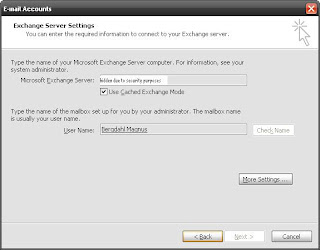

7. Click Add button and type in the name of the mailbox. Then Click OK

8. Click Next
9. Click Finish


